Download Timers4Me - Timer & Stopwatch free on android
APK file Timers4Me 7.5.9How to install APK / APKS / OBB file on Android
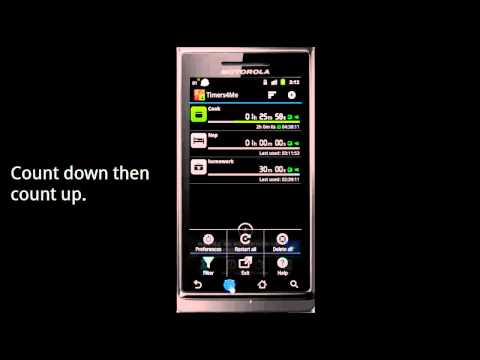

Use this tool to create and manage multiple timers, use it as a stopwatch, or even alarm clock, record your timer and alarm clock history in the Log.
FEATURE LIST:
Count down timer
Alarm clock
Stopwatch
Log
TIMER:
*New: Control the timer via NFC tags
*New: Tasker plugins support
*New: Android Wear notification support
Timers stay in effect even after a phone reboot
Up to 99 days 23 hours 59 mins 59 secs
Personalize timer with individual ringtones or mp3s/icon/label/label color
Pause/Resume/Snooze
Count down then count up
Digital and regular fonts
Landscape mode
Repeat
Specify a target time to count down
Simultaneously running multiple timers
Log
Share log via sms/email/twitter/facebook etc.
PLUS VERSION EXCLUSIVE
* No Ads
* Trigger another timer
* Unlimit number of timers
* Input label via voice
* Save stopwatch as a timer
* Support read label when alarm.
* Export log to .csv file.
- LicenseFree
- File nameTimers4Me
- File Version7.5.9
- Package namecom.luckyxmobile.timers4me
- Size7.32 MB
- UploadedSeptember 25, 2026
- Android7.0 or later

- CategoryProductivity
- DeveloperBreet.Jia
- Developer sitehttp://www.facebook.com/timers4me
- Developer emailbreet.jia@gmail.com
- md5 hash30053d65347a57ad3fed2015ca35cc76
- Architecture-
- Permissionsshow (23)
